Human-centred design

Wearable Obstacle Detector

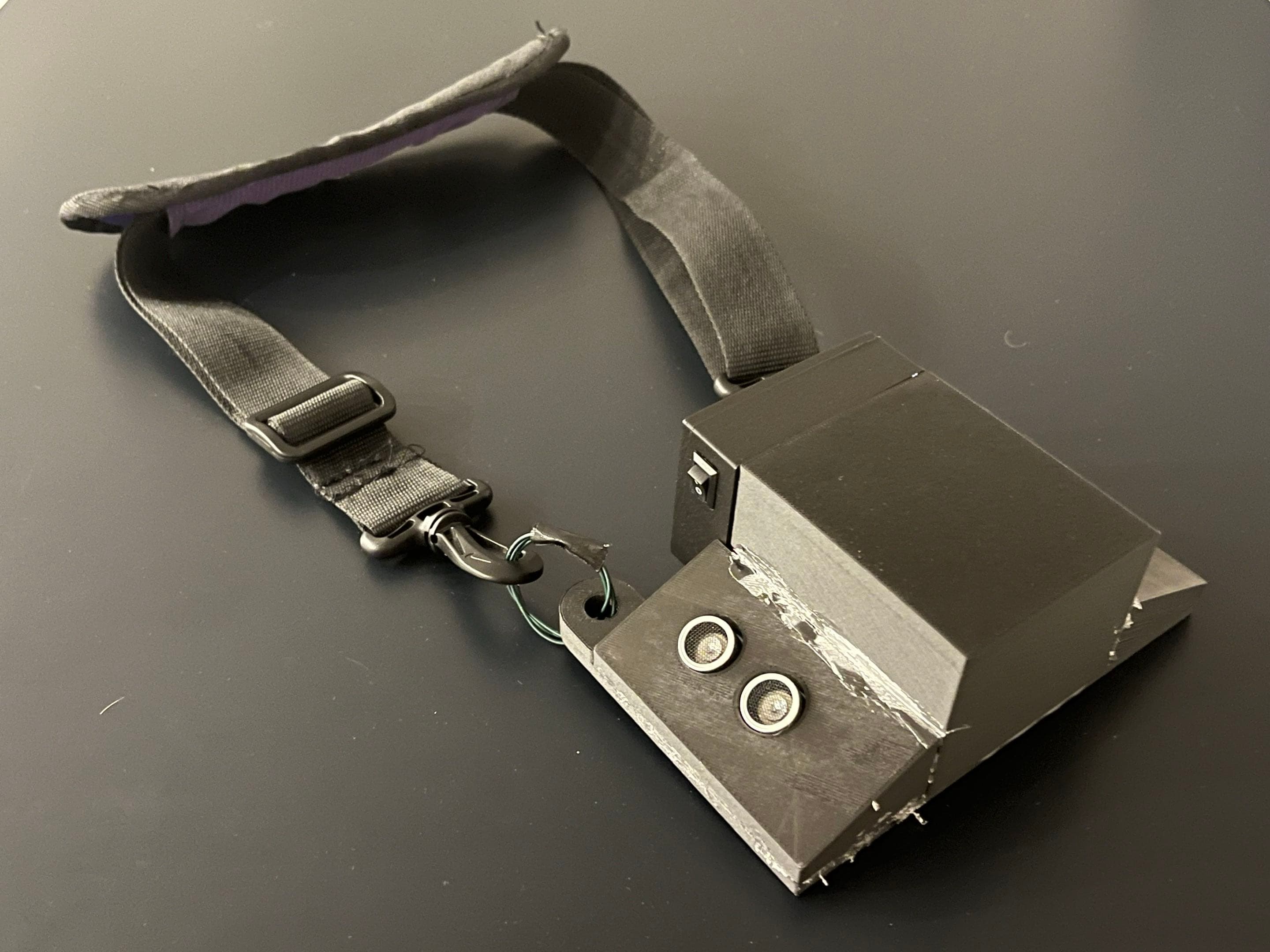
A haptic wearable concept that uses angled distance sensors to warn the user about obstacles ahead.

Human-centred designDistance sensingHapticsPrototype
TypeTeam design project
OutputWorking prototype
FocusSensing + haptics

Hero build photo / video

Replace this with a finished-project photo, short demo loop, CAD render, or annotated engineering image.

Overview

The goal was to create a wearable obstacle-detection concept for a client with combined hearing and vision loss, using haptic feedback instead of audio or visual alerts.

The technical problem was not simply to measure distance. The device had to detect relevant obstacles, avoid constant false triggers, communicate information through vibration, and remain wearable.

Requirements

Two distance sensors were angled to cover the useful space in front of the wearer rather than pointing straight ahead. The activation threshold was refined during testing so the warning arrived early enough to help without vibrating continuously.

AspectValue
FeedbackHaptic only
Prototype threshold~50 cm
Sensor geometryAngled sensing zones
Form factorWearable necklace concept

Sensor selection

Ultrasonic, infrared, and compact LiDAR-style sensors each bring different tradeoffs in field of view, target response, update rate, cost, and packaging.

Simple prototype

Ultrasonic

Low cost and easy to integrate, but the sensing cone and environmental behavior need testing.

Higher precision

Compact LiDAR

Cleaner ranging and a narrower measurement direction, with different cost and packaging tradeoffs.

Add the sensor field-of-view diagram

Show the necklace from above with two sensing cones and the intended detection zone.

Figure 1 - Placement and field of view matter as much as nominal sensor range.

Prototype process

  1. Build a fast proof of concept. Verify that a sensor can trigger a vibration motor at a useful distance.
  2. Test sensing geometry. Change sensor angle and placement to cover obstacles while reducing unwanted detections.
  3. Refine the threshold. Adjust activation distance based on how early the warning needs to arrive.
  4. Evaluate wearability. Consider weight, cable routing, comfort, and whether the feedback is understandable without demanding attention.

Iteration

A sensor can perform well on a bench and still fail as a wearable because the body moves, clothing blocks the sensor, and the ground can enter the field of view. The main iteration was therefore geometric: where should the sensors point so the device responds to meaningful obstacles?

Strong visual

Show the first sensor angle, what it detected incorrectly, and the revised angle. One before/after diagram communicates the process very clearly.

Results

The prototype demonstrated a working sensing-and-haptic concept and reinforced a key human-centred design lesson: the "best" sensor on a datasheet is not automatically the best sensor for a wearable system. Placement, feedback, comfort, and user context can dominate the design.

Next steps

  • Build a smaller enclosure and improve cable management.
  • Run structured tests across multiple obstacle sizes and approach angles.
  • Map distance to vibration intensity or pattern instead of a single on/off threshold.
  • Compare sensor types on the same test course and record false-positive / false-negative rates.

Previous project

Pressure Vessel Engineering

Next project

Airport Baggage System